How to Become a TikTok Shop Seller
Who can open a US TikTok Shop seller account, which documents you need, and how official verification works — with Seller University sources.

A TikTok Shop seller account is the US Seller Center account you use to run a shop: verification, products, orders, and payouts. Official US pages say businesses, brands, and individual sellers can apply if they complete verification in a supported market. There is no setup fee to join; the platform then charges a referral fee on sales, generally 6% in most US categories.
This page is about becoming a seller — eligibility, account types, documents, and how a US seller account is created and verified. It is not a full selling playbook. For shipping, listings, your official TikTok account, and how to get orders after you are approved, use How to sell on TikTok Shop. For the dashboard you will log into, use the TikTok Shop Seller Center guide.
Sources below were fetched on 16 November 2026. We do not have a seller account of our own, so we do not invent approval times or describe a verification chat we have not had.
What a TikTok Shop seller account is
Three official account ideas are easy to mix up:
You can register a seller account with an email, phone number, a TikTok account, or another supported login method, according to TikTok Shop’s US seller homepage. Setting the Seller Center region to US is required for US seller rules.
If you want to sell in more than one country, the same homepage says you sign up for each region separately.
Who can become a US TikTok Shop seller
Official Seller University eligibility language (documents guide FAQ, and the corporation/partnership registration page) includes:
The official seller eligibility and registration pages we checked do not list a follower-count requirement to open a US shop. Follower minimums apply to affiliate creators, not to opening the seller account itself.
Official setup guidance says a seller can set up to five shops, but only one shop at a time. You cannot register multiple shops simultaneously.
Individual vs business seller accounts
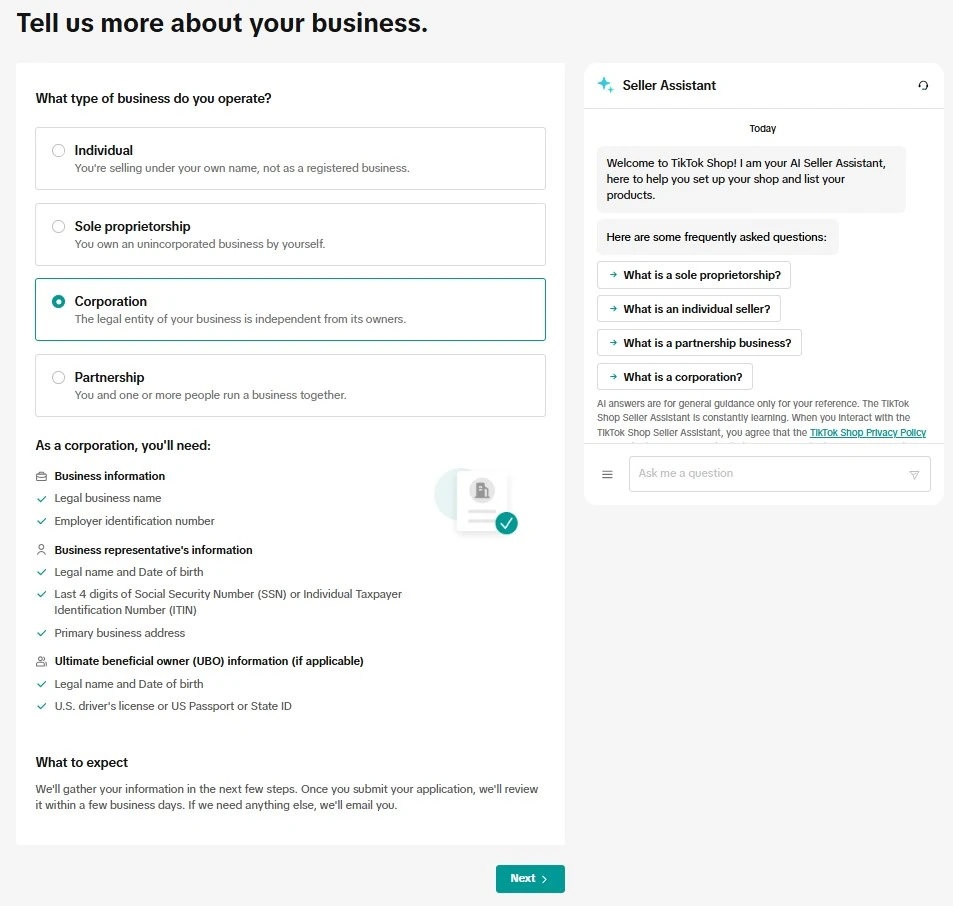
During verification you choose a seller type that matches your documents. Official US registration pages group individual sellers separately from business sellers (sole proprietorship, corporation, or partnership).
Official Finance & Settlement 101 (page updated 10 August 2026) adds payout-account rules:
The same page says only the shop owner can add or change the bank account, and that the bank-account holder’s name must exactly match the business or individual name used at onboarding. A mismatch prevents linking and payouts.
Business sellers may also be asked for Ultimate Beneficial Owner (UBO) details. Official pages describe a UBO as someone who owns at least 25% of the company (or, in the setup guide, at least 25% of capital or voting rights). More than one UBO is possible. Official UBO fields include legal name, government ID, date of birth, residential address, nationality, and the last four digits of an SSN or ITIN.
Pick the type that matches your legal situation. Official pages emphasize that names, addresses, and tax numbers must match your documents exactly.
Documents for a TikTok Shop seller account
The official documents guide (updated 12 May 2026) is the page to follow for file rules. In short:
A more detailed rejection-and-file checklist is in the documents section of How to sell on TikTok Shop. The usual official reason for a failed check is a mismatch between what you typed and what the document shows.
How to create a TikTok Shop seller account
Official starting points:
- TikTok Shop US seller homepage — Start selling
- US Seller Center
The official registration guide (updated 21 July 2025) and the US homepage describe this sequence:
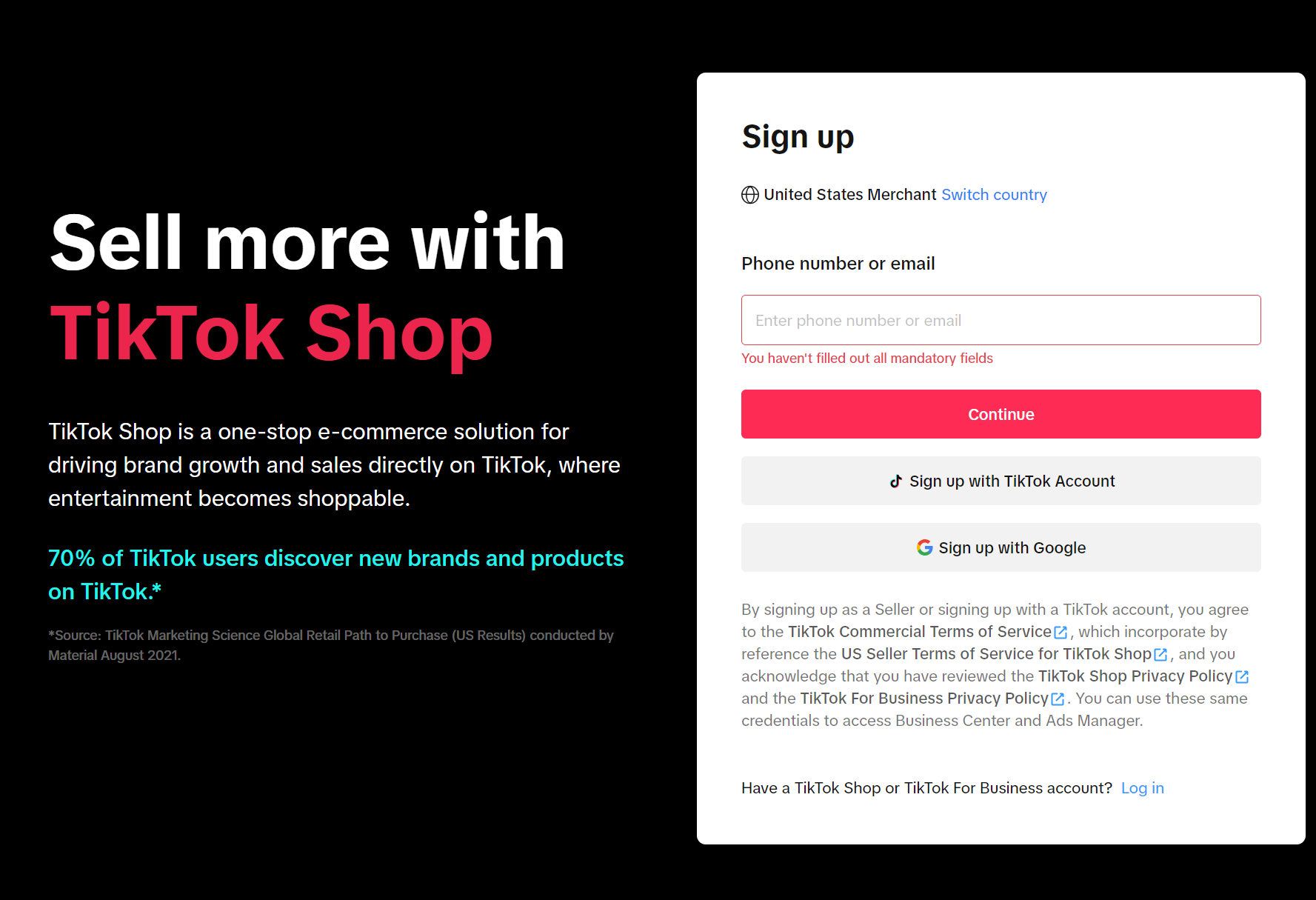
Create the Seller Center account
Register with an email, phone, TikTok account, or another supported method, and set the region to US.
Agree to the terms
Enter an invitation code if you have one.
Verify your identity or business
Choose your seller type and submit identity or business documents.
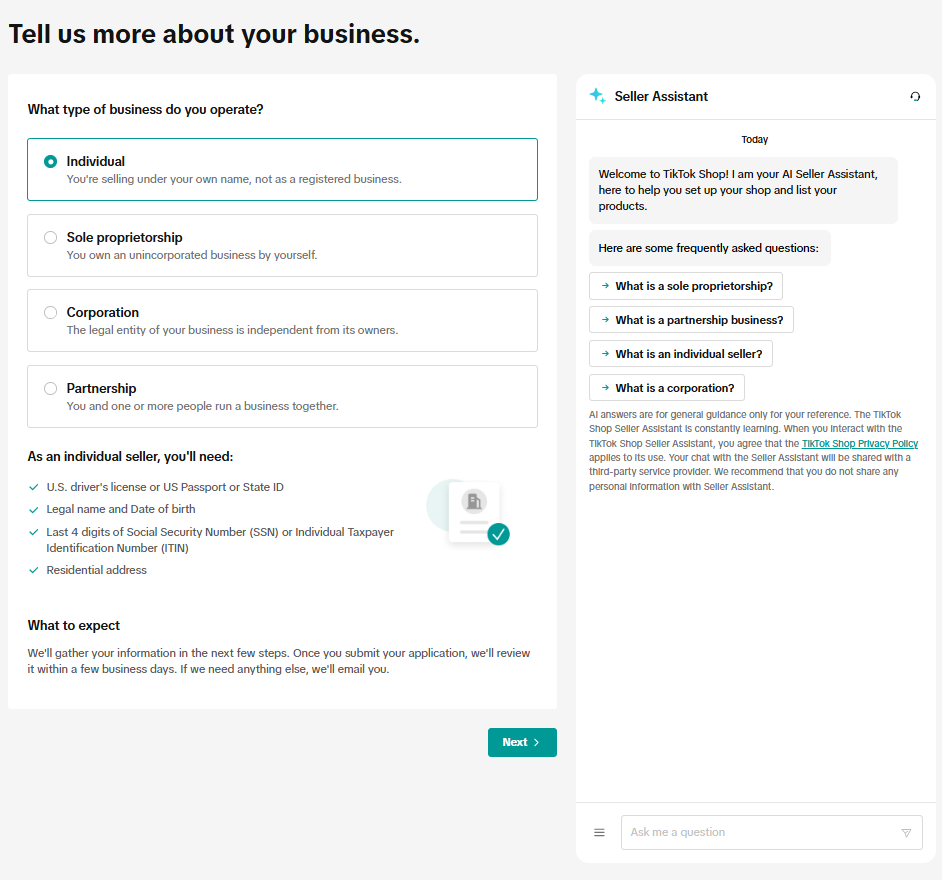
The official US registration step for choosing a seller type. Official pages group individual sellers separately from business sellers.Source: TikTok Shop Academy (US), captured 2026-11-17. EasyTikTok is not affiliated with TikTok or ByteDance. Complete tax information
Complete a W-9 for US-based sellers.
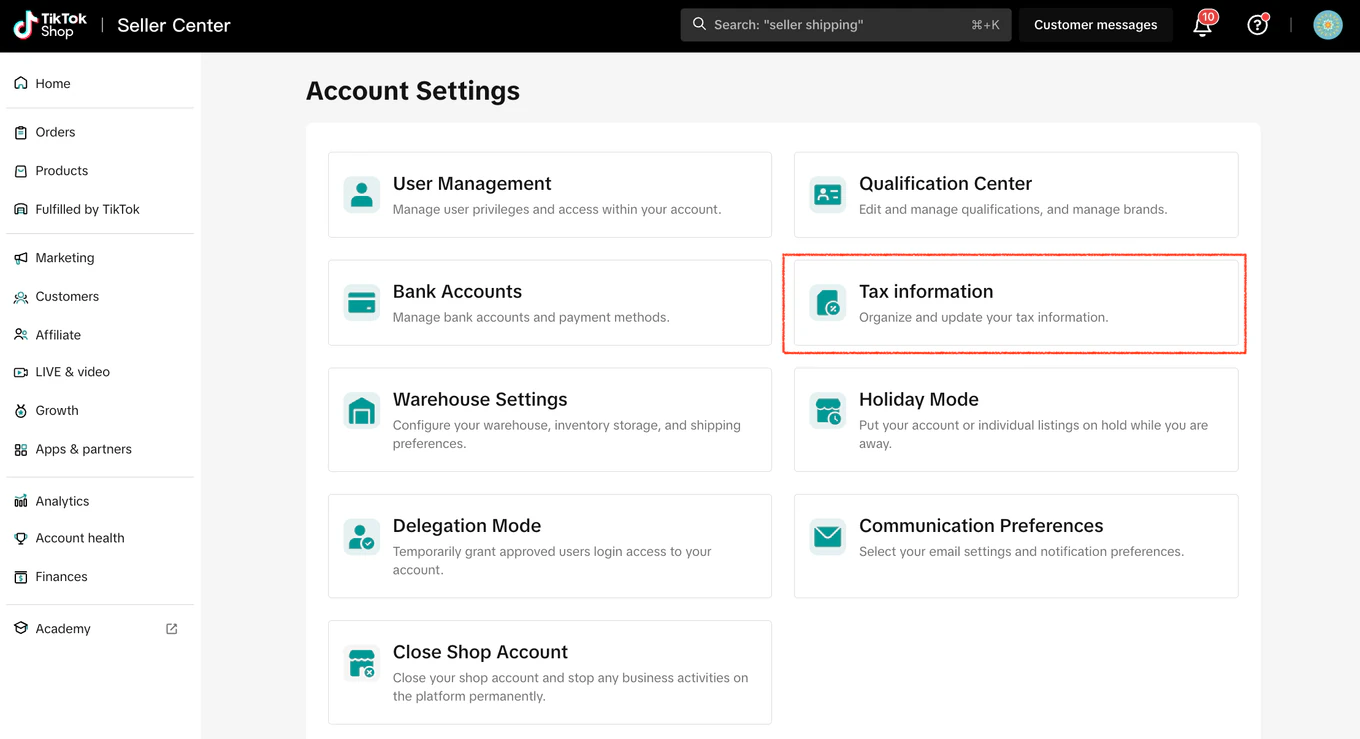
Tax information lives under Account Settings in US Seller Center, alongside bank accounts, warehouse settings, and user management.Source: TikTok Shop Academy (US), captured 2026-11-17. EasyTikTok is not affiliated with TikTok or ByteDance. Link a payout bank account
Use an account that matches the official name and account-type rules above.
Add a warehouse and list products
These are part of official setup, and they are covered step by step in the how to sell guide, including products you cannot sell.
Link one Official TikTok Account
Link one official account when you are ready (one account per shop; at most three changes).

If registration is rejected, official guidance is to fix discrepancies, upload a clearer file in an accepted format, and make sure every field matches the document.
After you apply
Official US pages we cited do not publish an approval-time SLA. Some unofficial articles quote short turnaround times; a UK Seller University page has mentioned 2–3 days for that market. Do not treat either as a US guarantee. Watch Seller Center. Common rejection causes, category qualification, and New Shop Probation caps are covered in TikTok Shop requirements and approval.
Payouts. The US homepage says payouts go to the linked bank account after orders are completed and return or refund windows have passed. Official referral-fee guidance says payable orders generally settle after delivery when there is no processing refund, and you can withdraw at a $1 available balance. Official finance guidance (10 August 2026) says the settlement clock starts at delivery, and that new or probationary shops are on an Introductory timeline of 31 days after delivery, with faster tiers later tied to Shop Performance Score. The full tier table is in the Seller Center guide.
What it costs to become a seller
TikTok Shop’s US homepage states there is no setup fee to join. You then pay the official referral fee on completed sales — typically 6% in most US categories, with 5% and 3% exceptions, plus a refund administration fee if an order is later refunded. Worked examples are in TikTok Shop Fees (US, 2026) and the US fee calculator.
Creator commission, ads, and fulfillment are separate costs you choose after the shop exists. They are not a fee to open the account.
Application checklist
- You meet official eligibility (age, US residence, unique phone and email, accepted ID)
- You have chosen individual or business registration to match your legal documents
- ID and any proof of address or business are valid, uncropped, and match the Seller Center fields
- You can complete a W-9 (or the tax form requested) with matching names and tax numbers
- You have a payout bank account whose legal name and type match official finance rules
- You know there is no setup fee, and you have checked the referral-fee rates for your category
FAQ
How do I get a TikTok Shop seller account in the US?
Open a US Seller Center account at the official Seller Center, set the region to US, agree to the terms, and complete identity or business verification, tax information, and a payout bank account. Official pages also include warehouse setup and product listing as part of launching the shop.
Do I need a certain number of TikTok followers to become a seller?
The official US seller eligibility and registration pages we checked on 16 November 2026 do not list a follower-count requirement to open a shop. That is different from TikTok Shop affiliate creators, who must have at least 1,000 followers.
What is the difference between a seller account and an Official TikTok Account?
A seller account is your TikTok Shop Seller Center login — the account that holds the shop, products, orders, and payouts. An Official TikTok Account is the TikTok profile you bind to that shop so you can show products and use ecommerce video and LIVE permissions. Each shop may link to only one official account, which you may change a maximum of three times.
Can an individual become a TikTok Shop seller, or do I need an LLC?
Official US pages allow both individual sellers and business sellers (including sole proprietorship, corporation, and partnership). The documents, tax form, and bank-account type must match the type you register. Official finance guidance says individual and sole-proprietorship shops must link a personal bank account; corporate or business shops must link a corporate bank account, and the account name must match the name used at onboarding.
How long does it take to get approved as a US TikTok Shop seller?
We have not found a published US approval-time SLA on the official Seller University pages cited here. Do not treat unofficial “one or two days” claims, or UK pages that mention 2–3 days, as a US guarantee. Track status in Seller Center.
Sources
All pages below were fetched on 16 November 2026. Official “Updated at” dates are TikTok Shop’s own page dates.
- TikTok Shop US seller homepage — who can apply, signup methods, no setup fee, regional shops, payouts.
- Registering for TikTok Shop — official US Seller University, page updated 21 July 2025.
- Beginner’s Guide: What documents do I need to register? — official US Seller University, page updated 12 May 2026.
- How to set up your TikTok Shop — official US Seller University, page updated 12 September 2025. Five-shop limit; official-account rules; W-9 visibility language.
- How to register as a Corporation or Partnership — official business-seller eligibility.
- Finance & Settlement 101 — official US Seller University, page updated 10 August 2026. Bank-account match rules and settlement tiers.
- Creator Eligibility Policy — official follower minimum for affiliate creators, contrasted above.
- TikTok Shop Referral Fee Updates — $1 payout threshold and settlement-after-delivery language.