TikTok Shop Requirements & Approval (US)
What US TikTok Shop checks before you can sell: seller verification, documents, category qualification, New Shop Probation caps, and common rejection causes.
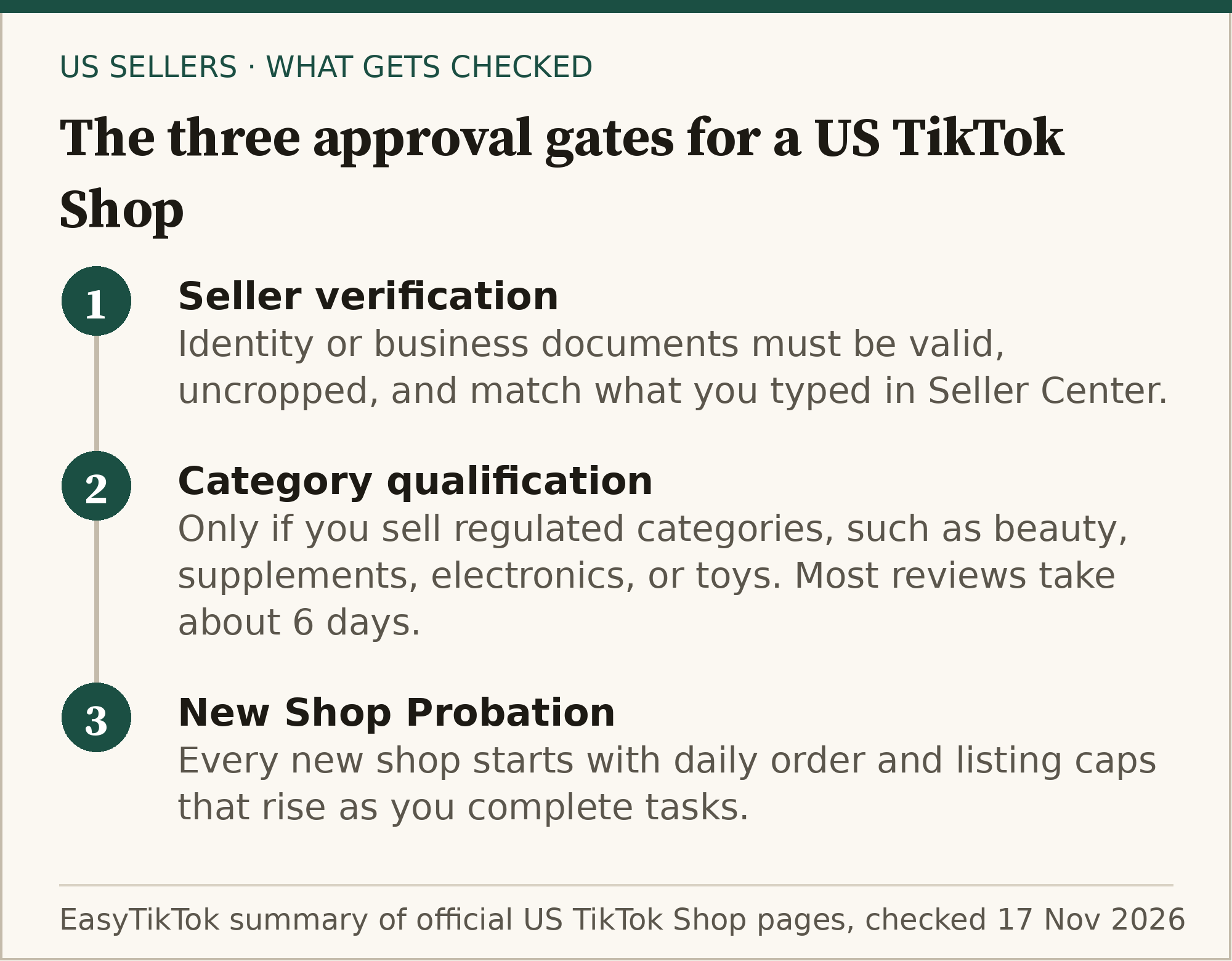
To sell on TikTok Shop in the US, your shop has to clear up to three checks. First, seller verification: identity or business documents that exactly match what you entered. Second, category qualification if you sell regulated products. Third, New Shop Probation, which caps daily orders and listings until your shop proves it can fulfil reliably. This page covers seller approval and New Shop Probation listing caps, not a full product-listing title or image guide. Official pages checked on 17 November 2026 do not list a follower minimum for opening a seller account.
This guide focuses on approval: what each check looks for, the common reasons for rejection, and what happens after you are approved. For the full sign-up walkthrough and document list by business type, see how to become a US TikTok Shop seller. We have not submitted a live application for this article.
Gate 1: seller verification
Who can apply
Official FAQ text in What documents do I need to register? (updated 12 May 2026):
What about invitation codes?
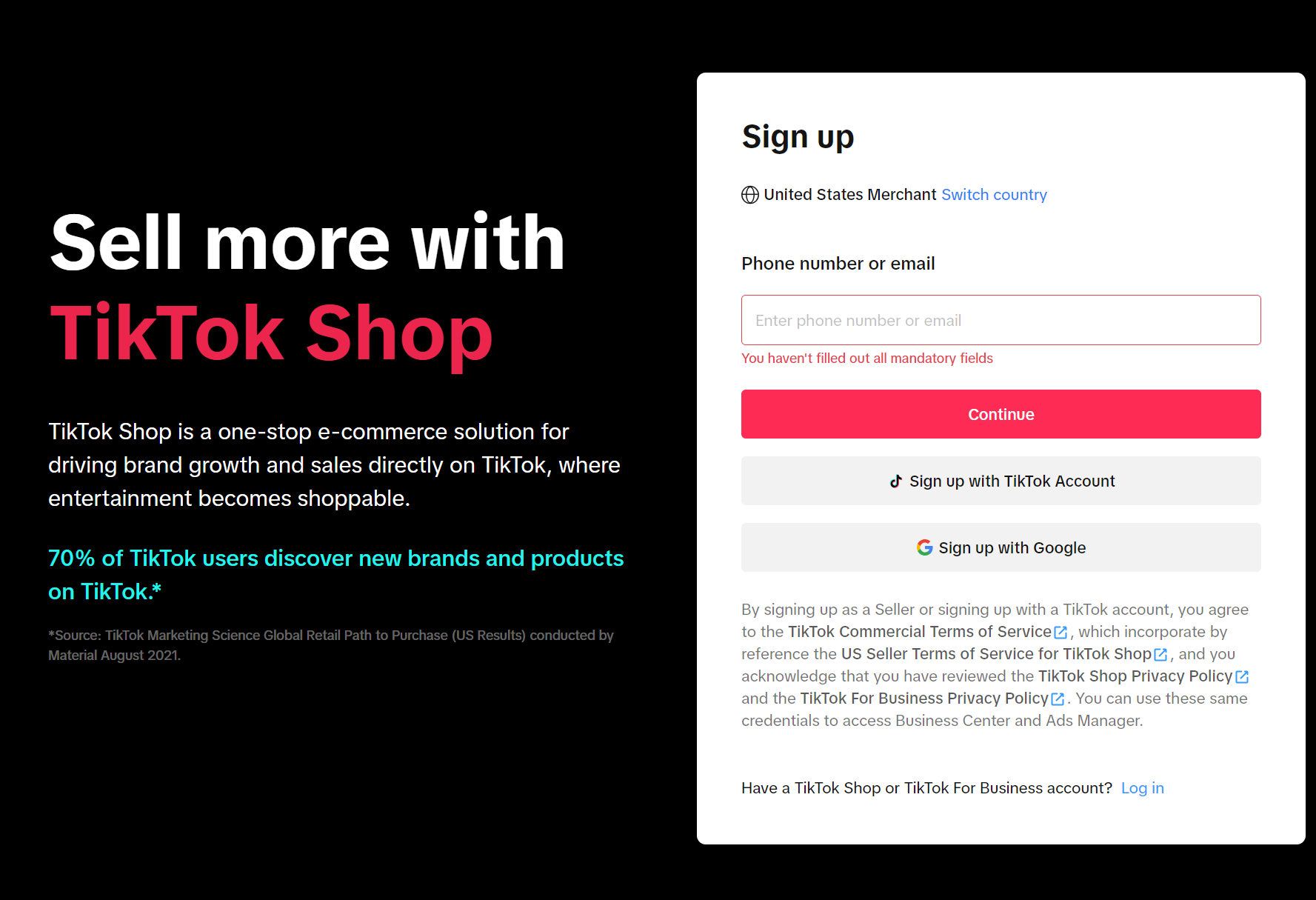
The official Registering for TikTok Shop page (updated 21 July 2025) says to enter an invitation code “if applicable” after accepting the terms. We did not find an official US page saying every new seller needs one. If you have a code from TikTok Shop or a partner, enter it at that step.
What the documents must look like
The same documents guide sets these rules for every upload:
- Valid and not expired.
- The full image of the ID, with the photo and details clear.
- Information that matches what you typed during registration.
- JPG, JPEG, PNG, or PDF, under 10 MB.
If TikTok Shop cannot verify what you sent, it may ask for more proof of address, proof of business, proof of ID, or a Letter of Authorization (LOA). For business sellers, official proof of business is an IRS document such as a 147C or CP 575 notice that shows the legal business name, address, and EIN. Screenshots of the IRS website and SS-4 applications are not accepted.
Why seller applications get rejected
Official registration guidance gives two fixes for a rejected registration: correct any discrepancies in your information, and upload a clearer copy in an accepted format. From the official pages, the usual causes are:
The summary on the official registration page also warns that business and personal information cannot be changed after submission, so choose your seller type and legal name carefully. Tax timing is covered in the how-to-sell guide. Official pages describe it in two different ways, so we do not merge them here.
Gate 2: category qualification
Some products need approval before you can list them. The official Guide to Category Qualification (updated 11 August 2026) lists:
| Product types that need category qualification (US) | |
|---|---|
| Automotive Parts | Household Appliances |
| Baby and Maternity Products | Kids’ Fashion |
| Beauty and Personal Care | Live Plants |
| Dietary Supplements | Medical Devices and Supplies |
| Electronics | Pet Supplies |
| Food and Beverage (Shelf-Stable) | Sports and Outdoor Recreation |
| Toys and Hobbies |
Read the category policy first
Each category has its own policy page listing the documents it needs. Official advice is to ask your supplier or manufacturer if you do not have them.
Open Qualification Center
In Seller Center, click your shop icon, then My Account → Account Settings → Qualification Center → Category Qualification.
Add Category Authorization
Upload the documents and submit. Once approved, you can list any product in that category.

Official text says most category rejections come from missing, incorrect, or low-quality documents. Commonly requested items include real product photos showing labels and the manufacturer’s details; purchase invoices dated within the past 12 months if you are a reseller (packing slips and screenshots are usually not accepted); FDA documents for beauty, food, and medical products; and certificates of compliance for electronics or appliances. Most reviews take about 6 days, and you can have only one active application per category. To reapply, open the rejected category, read the reason, fix the documents, and click Resubmit.
Gate 3: New Shop Probation
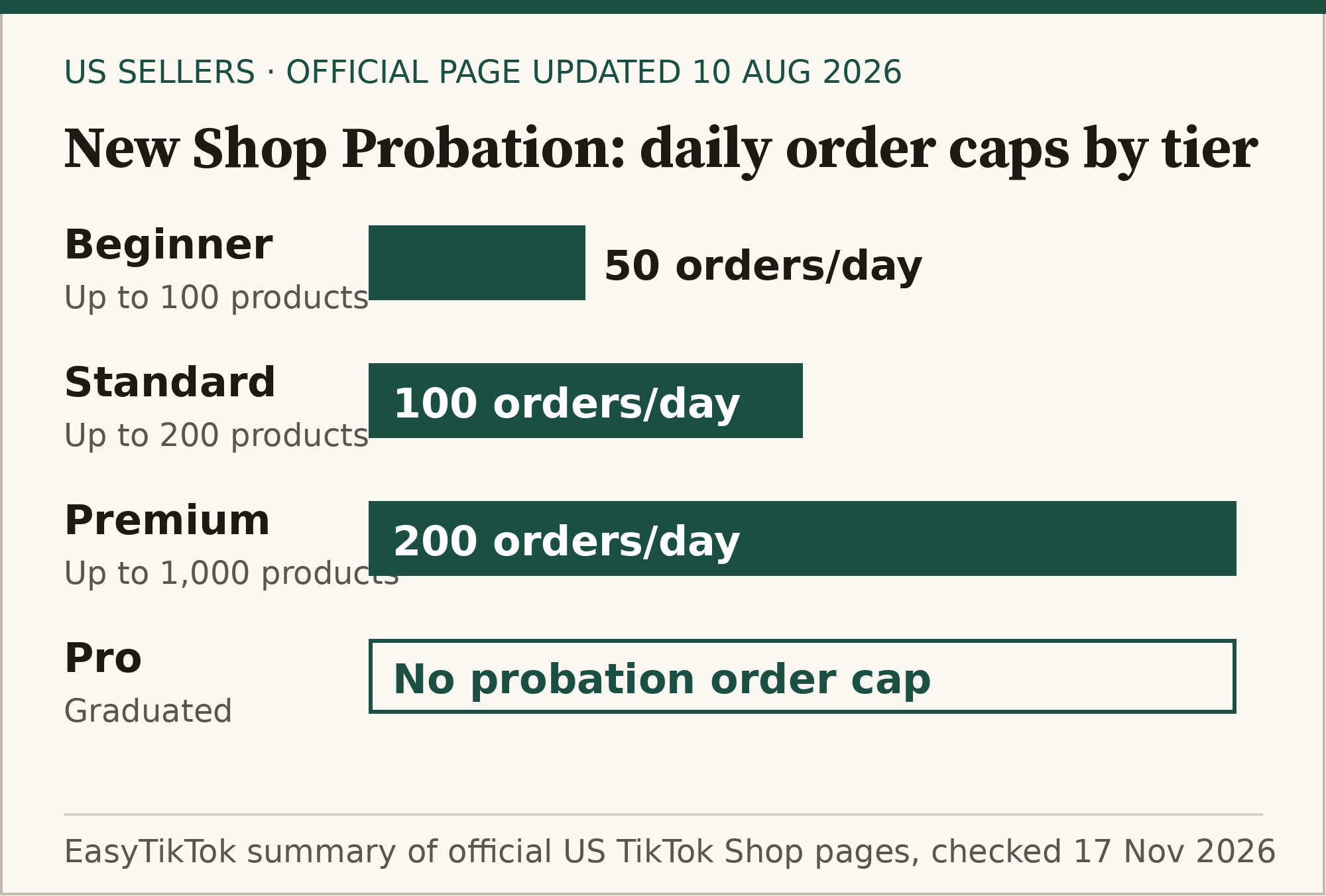
Official New Shop Probation Program Requirements (updated 10 August 2026) say all new shops start in probation, and that it is not a penalty.
After approval: rules that keep a shop open
Approval is not the end of the checks. Two official policies matter most in the first weeks:
- Shipping deadlines. Regular orders must be dispatched within 2 business days, and orders with no tracking after 5 business days are auto-cancelled. See US shipping rules.
- Returns. Sellers have fixed deadlines to respond to return requests. See the US return policy guide.
Claims we could not verify
Approval checklist
- Use a phone number and email that have never opened another shop.
- Type your name and address exactly as they appear on your ID and proof of address.
- Upload full, original images or PDFs under 10 MB, not photos of a screen.
- Business sellers: have an IRS 147C or CP 575 ready in case proof of business is requested.
- Check whether your products need category qualification before you list.
- Plan your first weeks around probation caps and the 31-day settlement timeline.
- Budget for fees with the US fee calculator.
FAQ
The questions below match the FAQ in the page metadata.
Sources
All pages were fetched on 17 November 2026. “Updated” dates are TikTok Shop’s own page dates.
- Beginner’s Guide: What documents do I need to register? (US Seller University, updated 12 May 2026).
- Registering for TikTok Shop (US Seller University, updated 21 July 2025).
- Your Guide to Category Qualification (US Seller University, updated 11 August 2026).
- New Shop Probation Program Requirements (US Seller University, updated 10 August 2026).
- Logistics & Fulfillment: Shipping Options, Policies, and Best Practices (US Seller University, updated 9 September 2026). Dispatch and auto-cancel deadlines.
- Settlement timing is cited in our Seller Center guide (Finance & Settlement 101, updated 10 August 2026).